The 7 Best QR Menu Apps in 2026 (Tested & Compared)
Choosing the wrong QR menu app means reprinting codes, missing allergen requirements, or paying per table for a feature you could get free. This guide compares seven real platforms on pricing, free plans, multilingual support, allergen compliance, and setup speed — so you pick the one that actually fits your restaurant.

The QR menu market is crowded — and the differences matter
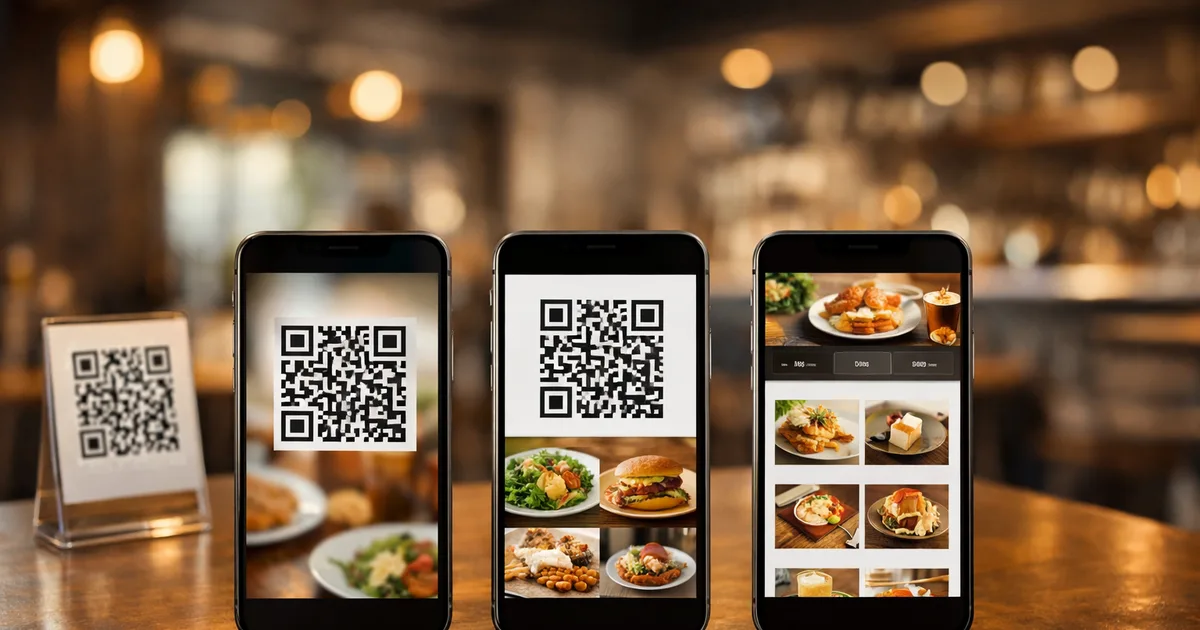
More than 102 million Americans are expected to scan a QR code in 2026, and restaurants are the single most common place that happens. That means every venue is shopping for a QR menu app at some point. The problem: a basic web search returns dozens of platforms, and the differences between them are significant — free plans with genuine features versus “free” with a 20-dish cap, 16-language menus versus a single language, allergen tags built in versus nowhere to be found.
The wrong choice costs real money. Pick a tool with per-table pricing and your bill climbs with every new patio chair. Choose a static PDF generator and you’re reprinting codes every time a price changes. Opt for the cheapest tool without allergen support and you have a compliance gap you might not notice until you need to.
This guide compares seven real platforms honestly. Each gets a verdict, a “best for” label, and a candid note on where it falls short. The comparison table covers every buying criterion in one place.
TL;DR
- Every app here generates dynamic QR codes — no reprinting when the menu changes.
- Free plan quality varies enormously: some are genuinely unlimited; others are limited trials.
- Allergen labeling and multilingual are the two features most likely to matter in 2026 — check them before you sign up.
- Ordering integration is valuable for some service models and unnecessary for others; full-service restaurants often prefer display-only.
- ShevaFood is the strongest free-tier option if you need multilingual menus, AI food photography, and allergen compliance together.
How we evaluated these tools
The National Restaurant Association’s 2026 State of the Restaurant Industry report found that 8 in 10 restaurant operators believe technology gives them a competitive advantage — and 73% increased their technology investments in 2024, according to the NRA’s Technology Landscape Report. What the data doesn’t tell you is which tool to pick. We assessed each platform on six practical criteria:
- Pricing and free tier — Is the free plan genuinely usable, or is it a capped preview?
- Multilingual support — How many languages, and does the guest choose or does the app detect their device language?
- Allergen management — Can you tag allergens per dish, or is it a static footnote at best?
- Dynamic QR codes — Do updates go live without reprinting? (All seven pass; it’s table stakes by 2026.)
- Guest ordering — Can guests place an order directly from the menu, or is it display only?
- Setup speed — How long does it realistically take to go from signup to QR code on the table?
At a glance: comparison table
| App | Starting price | Free plan | Languages | Allergen tags | Guest ordering | Best for |
|---|---|---|---|---|---|---|
| ShevaFood | Free | ✅ Unlimited | 16 | ✅ Per dish | ❌ Display only | Multilingual, allergen-first, free-tier |
| MenuTiger | ~$17/month | ❌ Trial only | Multiple | ✅ Supported | ✅ Optional | Mid-market, ordering add-on |
| FineDine | ~$24/month | ❌ Trial only | Multiple | ✅ Full suite | ✅ Integrated | Full-service with POS integration |
| Menubly | Free | ✅ Limited | Few | ❌ Not included | ❌ Display only | Quick launch, small venue |
| GloriaFood (Oracle) | Free | ✅ Ordering | Limited | ❌ Not included | ✅ Full ordering | Online ordering priority |
| Kiuar.menu | ~$2.99/month | ❌ Trial only | 29 | ❌ Not included | ❌ Display only | Budget multilingual, no allergens |
| FoxiFood | 0% subscription | ✅ Transaction fee | 25+ auto | ❌ Not included | ✅ Integrated | Low-volume, no-subscription model |
Pricing as of July 2026. All apps offer dynamic QR codes; codes never need reprinting after a menu edit.
1. ShevaFood — Best for multilingual, allergen-first restaurants
The verdict: ShevaFood is the strongest all-around free option in 2026 if you need multilingual menus, per-dish allergen tags, and AI-generated food photography — the combination that typically requires a paid plan elsewhere.
The free plan includes unlimited dishes and categories, 16 languages selectable by the guest with one tap, and allergen tags on every dish that surface without a separate subscription. The QR code is generated automatically, points to a live page (never to a file), and stays the same through every menu change. Guests scan, pick their language, browse, and read allergen details — no app, no account, no friction.
Where it stands out: The AI food photography feature is unusual among free-tier tools. For restaurants without professional dish photos — which is most of them — this removes the biggest visual barrier to a compelling menu. For a deeper look at why multilingual menus matter in tourist cities, see our guide to multilingual restaurant menus.
The honest caveat: ShevaFood is a display-first platform. Guests browse the menu; your staff takes the order. If you need guests to place and pay for orders directly from the QR code, look at FineDine or GloriaFood.
- Free plan: Yes — no credit card, unlimited items
- Languages: 16 (guest-selectable)
- Allergen tags: Per dish, on the free plan
- Ordering: Display only
2. MenuTiger — Best for mid-market restaurants wanting an established name
The verdict: MenuTiger is one of the most-searched QR menu platforms and has earned its reputation with a stable product and optional table ordering. Starting at roughly $17 per month, it occupies the mid-market between a free tool and a full POS suite.
Multi-language menus are supported, and the QR customization options — branded colors, logos on the code itself — are stronger than most. The platform handles allergen information, and there is an ordering module you can enable per table.
The honest caveat: There is no permanent free plan — the trial gives you a preview, not an ongoing free tier. If budget is the priority, you will pay here from month one. The per-feature pricing can also climb quickly if you enable ordering across many tables.
- Free plan: No (trial only)
- Languages: Multilingual supported
- Allergen tags: Yes
- Ordering: Optional add-on
3. FineDine — Best for full-service restaurants needing deep operational integration
The verdict: FineDine is the most feature-rich platform in this comparison. Starting at roughly $24–49 per location per month, it covers digital menus, table ordering, payment, POS integration, AI upsell recommendations, and detailed analytics. It is built for operators who want the QR menu to be a genuine operational tool, not just a display.
Allergen information is a core feature — you can add full nutritional data, calorie counts, and allergen warnings per dish, which makes it a strong fit for operators facing EU or UK compliance requirements. The platform also supports multiple languages.
The honest caveat: The price reflects the scope. For a restaurant that simply wants a menu behind a QR code, FineDine is more platform than necessary — and the cost per location adds up quickly for multi-site operators. Setup time is also longer than the simpler tools in this list.
- Free plan: No (trial only)
- Languages: Multilingual supported
- Allergen tags: Full per-dish suite
- Ordering: Integrated ordering and payment
4. Menubly — Best for quick launch on a tight budget
The verdict: Menubly offers a clean, easy-to-use interface and a free tier that lets you get a basic menu live in minutes. For a solo cafe or a pop-up that needs something functional fast, it delivers.
The free plan is limited — item counts and features are restricted — but it covers the core use case: build a simple menu, get a QR code, put it on the table. The templates are clean and the setup is genuinely fast.
The honest caveat: There is no allergen labeling, multilingual support is limited on the free tier, and the platform does not scale well once you add dishes, locations, or compliance needs. If you outgrow it, you switch — which means redoing your setup. Think of it as a starting point, not a long-term platform.
- Free plan: Yes — item-limited
- Languages: Limited on free tier
- Allergen tags: Not included
- Ordering: Display only
5. GloriaFood (Oracle) — Best for restaurants prioritizing online ordering
The verdict: GloriaFood was acquired by Oracle in 2021 and has since been integrated into Oracle’s hospitality ecosystem. It is primarily an online ordering platform — restaurants embed it in their website and accept orders directly, bypassing delivery commissions. The QR code menu functionality is available but is secondary to the ordering-first design.
The free plan includes online ordering, a branded ordering page, and basic menu management. If your priority is taking orders without a third-party delivery platform eating your margin, GloriaFood is a strong no-cost option.
The honest caveat: The platform is designed for online (off-premises) ordering, not in-dining QR menus. Language support and in-dining display features are thin. Allergen labeling is not a built-in feature. For a dine-in-first use case, the other tools in this list are better fits.
- Free plan: Yes — ordering-focused
- Languages: Limited
- Allergen tags: Not included
- Ordering: Full online ordering
6. Kiuar.menu — Best for budget multilingual display menus without allergen needs
The verdict: At roughly $2.99 per month (or about $28 per year), Kiuar.menu is the cheapest entry point for a serious multilingual menu — 29 languages, three tiers of analytics, unlimited menus and locations, and a clean display interface. For a budget-conscious operator with international guests who doesn’t need allergen compliance, it punches well above its price point.
The honest caveat: There are no allergen tags. For EU operators, this is a compliance gap — not a minor one. If your guests include people managing food allergies or intolerances, Kiuar is not the right tool. The $2.99/month price is also a subscription, not a free tier, so it is not zero-cost from day one.
- Free plan: No (low-cost subscription)
- Languages: 29
- Allergen tags: Not included
- Ordering: Display only
7. FoxiFood — Best for low-volume venues that want no subscription fees
The verdict: FoxiFood’s pricing model is genuinely unusual: no monthly subscription. Instead, you pay 2% + €0.35 per card transaction when guests order. For a low-volume venue — a small wine bar, a seasonal pop-up — this can be meaningfully cheaper than paying €15–25 per month regardless of trading. The platform auto-detects the guest’s device language and switches the menu into one of 25+ supported languages automatically, which is a smooth implementation for tourist-facing venues.
The honest caveat: The transaction-fee model works in your favour at low volume and against you at high volume. A restaurant processing significant card orders will pay more than a flat subscription. Allergen labeling is not a built-in feature, so EU compliance requires workarounds.
- Free plan: Yes — pay per transaction
- Languages: 25+ (auto-detected)
- Allergen tags: Not included
- Ordering: Integrated ordering and payment
How to choose the right QR menu app for your restaurant
Start with your two non-negotiables. Most operators find the decision comes down to two questions: do you need allergen labeling (legally required in many EU markets), and how many languages do your guests actually speak? If both answers are yes, the list narrows quickly — ShevaFood covers both on its free plan; FineDine covers both on a paid one.
Then decide whether you want ordering. Display-only menus suit most full-service restaurants perfectly: guests browse, staff engage. If your service model relies on guests self-ordering — fast-casual, poolside, event catering — add ordering capability to your filter.
Finally, stress-test the free plan. Some “free” tiers cap dishes at 20 (not enough for a real menu), require a credit card to start, or hide multilingual behind a paywall. Before you commit, run the numbers on a realistic menu size and check every feature you actually need.
For the wider context on what a QR menu should deliver end to end — setup, costs, allergens, and format trade-offs — see our complete guide to QR code menus for restaurants, and our breakdown of how to build yours from scratch.
Try ShevaFood free — no credit card needed
Frequently asked questions
Yes. ShevaFood offers a genuinely free tier — no credit card required — with unlimited dishes, 16 languages, per-dish allergen tags, and a dynamic QR code. Some platforms advertise “free” but cap the dish count at 20 or place key features (multilingual, allergens) behind a paid plan. Check what the free tier actually includes before you sign up.
No. A QR menu opens in the phone’s browser the moment a guest points their camera at the code. There is no app to install and no account to create. Both iPhones (since iOS 11) and Android devices support native QR scanning through the camera, so the experience works for every guest without any extra steps.
A static QR code encodes a fixed URL — if that URL ever changes, you reprint the code. A dynamic QR code points to a redirect you control, so the destination and the menu content can be updated without reprinting. All seven apps in this comparison use dynamic codes: update a price, and it is live on every table instantly. The printed code stays the same forever.
ShevaFood supports 16 languages from a single QR code on its free plan — one of the highest counts among platforms without a subscription. Kiuar.menu reaches 29 languages for $2.99 per month, and FoxiFood auto-detects the guest’s phone language across 25+ languages. If allergen compliance matters too, ShevaFood is the only option of the three that covers both.
Yes — and this is the defining reason to choose a proper QR menu platform over a “PDF behind a QR code” approach. Every app reviewed here gives you a live dashboard where dish edits, price changes, and new photos go live instantly. The printed code never needs to change. See our guide on the QR menu creator workflow for a full walkthrough of how this works in practice.
Not necessarily. Full-service restaurants where staff take orders after guests browse typically do not need or want ordering built in — it can actually slow table service for a seated dinner. Ordering integration is most valuable for fast-casual venues, poolside service, or any setting where self-ordering speeds throughput. FineDine and GloriaFood (Oracle) both offer integrated ordering; ShevaFood, Menubly, and Kiuar are display-first.
The bottom line
The best QR menu app is the one that covers your two or three non-negotiable requirements without making you pay for a stack of features you’ll never use. For most independent restaurants in 2026 — especially those serving international guests or operating in markets with allergen labeling requirements — the shortlist is short: allergen tags, multilingual support, and a free plan that doesn’t expire after 14 days.
ShevaFood covers all three, and adds AI food photography that most competitors charge extra for. If you need built-in ordering and payment, FineDine or GloriaFood are the serious alternatives. If budget is the absolute ceiling, Kiuar.menu at $2.99 per month or FoxiFood’s transaction-fee model might fit your volume better.
Whatever you pick: test it on your own phone before you put a code on every table. A menu that takes three taps and a pinch-to-zoom to read is not a better experience than no menu at all. Try ShevaFood free and have a real QR menu live before your next service.
Sources
- State of the Restaurant Industry 2026 — National Restaurant Association , 2026-02
- Restaurant Technology Landscape Report 2024 — National Restaurant Association , 2024
- QR Code Statistics 2026 — Bitly , 2026
- QR Code Menu Design Platform Market Research Report — DataIntelo , 2024