QR Menu with Allergens: Stay EU-Compliant the Easy Way (2026)
EU Regulation 1169/2011 and UK FSA guidance expect restaurants to declare all 14 allergens in writing, per dish. A digital QR menu makes that obligation simple: tag once, update instantly, and let every guest see accurate allergen information before they order.

A guest arrives at your table and asks the server: “What’s in the risotto — does it contain nuts?” The server disappears to check. Three minutes later they return with a laminated sheet that was last updated eight months ago. The guest orders the pasta instead and leaves early. You’ve lost trust, and you got lucky that the allergy wasn’t severe.
For 1 in 4 Britons affected by a food allergy or intolerance (Ipsos, 2024), allergen information is not a formality — it is a decision-making tool they use at every meal. Under EU Regulation 1169/2011 and retained UK law, restaurants already have a legal duty to declare the 14 major allergens for every dish they serve (European Commission). The question in 2026 is not whether to provide that information but how to provide it accurately, consistently, and at scale.
A QR menu with allergens handles all three: every guest sees a per-dish allergen declaration the moment they scan the code, updated in real time, in any language your kitchen supports.
At a glance
- EU Regulation 1169/2011 and UK Food Information Regulations require restaurants to declare 14 major allergens for every dish, accessible before ordering.
- The UK FSA’s updated guidance (March 2025) says allergen information should be made available in writing — moving restaurants toward a written-display standard ahead of a possible legal requirement (FSA, 2025).
- 1 in 4 Britons reports having a food or drink allergy or intolerance (Ipsos, 2024), making allergen accuracy a core commercial concern, not a niche one.
- A digital QR menu lets you tag allergens once per dish, display them as icons or written labels, and update them instantly the moment a recipe or supplier changes.
- Both the FSA and the EU explicitly accept digital formats as a valid means of disclosure.
What does the law actually require from your restaurant?
Under EU Regulation 1169/2011 and UK Food Information Regulations, restaurants must declare the 14 major allergens for every dish they serve, and that information must be available to guests before they order. The declaration can be verbal if a written reference is clearly signposted — but verbal-only is becoming insufficient.
The UK’s Food Standards Agency updated its best practice guidance for non-prepacked food on 5 March 2025, stating explicitly that allergen information “should be available in writing.” The FSA is now evaluating how well businesses have adopted this standard, with findings that will inform ministers on whether written allergen menus should become a legal requirement — a change known informally as Owen’s Law.
The 14 allergens every UK and EU restaurant must track are:
Cereals containing gluten (wheat, rye, barley, oats) · Crustaceans · Eggs · Fish · Peanuts · Soybeans · Milk · Tree nuts (almonds, hazelnuts, walnuts, etc.) · Celery · Mustard · Sesame seeds · Sulphur dioxide and sulphites (above 10 mg/kg) · Lupin · Molluscs
This information must be attached to specific dishes — a generic “may contain” disclaimer at the bottom of a printed menu does not satisfy the requirement (FSA allergen guidance).
Why paper allergen charts are hard to keep accurate
Most restaurants start with a spreadsheet or a laminated chart. It works for the first menu. Then a supplier swaps a nut oil for sunflower oil, a pasta changes to a gluten-free option, a sauce recipe gets adjusted mid-season — and the chart silently becomes wrong. At scale — across two sites, a seasonal menu, and a dozen weekly specials — paper and PDF allergen management breaks down precisely when accuracy matters most.
| Method | Update time | Risk of outdated info | Guest-accessible before ordering? | Compliant format (EU/UK)? |
|---|---|---|---|---|
| Laminated allergen chart | Print + laminate (24–48 h minimum) | High — chart is wrong until reprinted | Depends on staff handing it over | Acceptable but fragile |
| Printed menu with allergen footnotes | Reprint entire menu | High — any recipe change requires a reprint | Yes, with the menu | Acceptable but costly to maintain |
| Static PDF behind a QR code | Upload new file | Medium — requires manual upload for every change | Yes, but only if the PDF is current | Acceptable only if always current |
| Dynamic QR menu with per-dish allergen tags | Instant, from the dashboard | Minimal — change one field, every QR code updates | Yes — always current, per dish, on device | Explicitly accepted by FSA and EU |
The FSA estimates roughly 1 in 100 catering menus contains an undeclared allergen risk at any given time. For a restaurant running a 60-dish menu with seasonal changes, even a careful paper process creates windows where outdated information sits on tables.
How a QR menu with allergens works
A dynamic QR menu with per-dish allergen tags gives every guest accurate, current allergen information the moment they scan the code, with no staff intervention required. The workflow is simple on the operator’s side and transparent on the guest’s side.
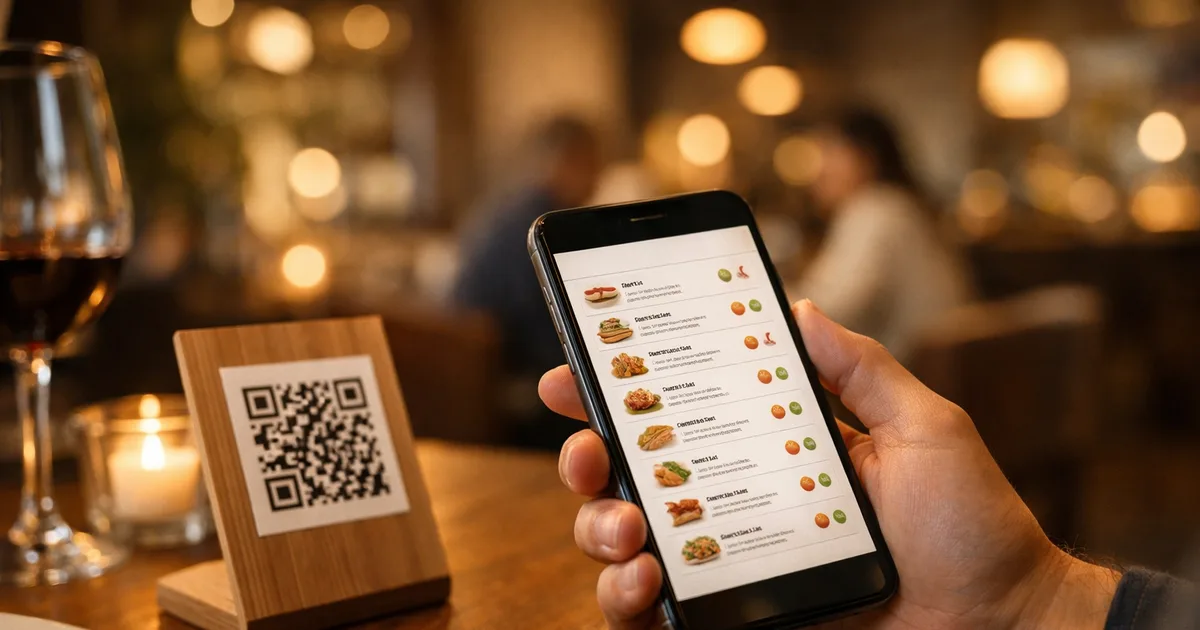
When you tag a dish in the platform’s dashboard — marking it as containing gluten, milk, and mustard, for instance — the platform renders those as icons or written labels directly beside that dish on the live menu. A guest with a gluten intolerance can scan the QR code, see immediately which dishes are safe, and order with confidence. No waiting for a server to fetch a chart, no risk of a misremembered verbal answer.
The real operational advantage is in updates. When a recipe changes — a new bread supplier, a sauce that now contains sulphites, a daily special with tree nuts — you update the allergen tag once in the dashboard. Every QR code already printed on your tables, your window card, your Google My Business listing instantly shows the new information. No reprinting, no version control, no laminating.
ShevaFood supports all 14 EU allergens per dish, alongside its 16-language menu — meaning the same allergen tag that displays in English also renders correctly in French, Spanish, Arabic, or Japanese for any international guest who switches the language on the menu.
How to add allergen tags to your QR menu
Step 1 — Audit your menu for the 14 allergens
Before you tag anything digitally, make sure your allergen data is accurate at source. Go through every dish — including sauces, garnishes, and dressings — and note which of the 14 major allergens are present as ingredients or realistic cross-contact risks from shared equipment.
Step 2 — Choose a QR platform with per-dish allergen fields
Not every QR generator supports structured allergen data. Look for a platform that attaches allergen labels to individual dish entries, not a generic footer disclaimer. Enter your full menu: categories, dishes, descriptions, prices, and photos.
Step 3 — Tag each dish
In the dish editor, tick each allergen present. A compliant platform renders these as icons and written labels beside the dish — not buried in a footnote — so the disclosure is immediate and unambiguous when a guest opens the menu.
Step 4 — Verify the live display
Scan the QR code on your own phone before service begins. Confirm that allergen labels appear clearly beside each dish. This is the moment to catch any dishes you missed during the audit.
Step 5 — Update whenever a recipe or supplier changes
Make allergen updates part of your recipe-change process. The rule is simple: when a dish’s ingredients change, update the allergen tag before the dish goes back on the menu. On a dynamic platform, this takes 30 seconds and propagates everywhere at once.
Put allergens on every dish, in every language
Frequently asked questions
UK and EU restaurants must declare 14 major allergens under retained EU Regulation 1169/2011 and the UK Food Information Regulations: cereals containing gluten, crustaceans, eggs, fish, peanuts, soybeans, milk, tree nuts, celery, mustard, sesame seeds, sulphur dioxide and sulphites, lupin, and molluscs. The information must be available to guests before they order — per dish, not as a generic disclaimer.
Yes — provided allergen information is attached to individual dishes and clearly accessible before ordering. The European Commission confirms digital provision meets Regulation 1169/2011 requirements. UK FSA guidance (March 2025) also accepts digital formats. Both regulators expect a non-digital fallback and a staff conversation to be available for guests with life-threatening allergies.
Use a QR menu platform with per-dish allergen fields. Tag each dish with the allergens it contains in the dashboard. The platform displays the tags to every guest on scan. When a recipe changes, update once and every QR code updates immediately — no reprinting required.
Under UK and EU law, undeclared allergens can result in serious fines, prosecution by Trading Standards, and liability claims if a guest suffers a reaction. The FSA can issue improvement notices. Beyond the legal risk, the reputational and human cost of an allergen incident is severe — accurate, always-current allergen data is both a legal obligation and a safety duty.
Yes. A dynamic QR menu updates instantly across every device when you edit a dish’s allergen tags in the dashboard. No reprinting, no version-control errors, no outdated sheets on tables — the core operational advantage over a paper chart or a static PDF.
As of June 2026, the FSA’s written allergen guidance (updated March 2025) is best practice, not yet law. However, the FSA is evaluating compliance to advise ministers on whether to make written allergen menus mandatory — the change informally known as Owen’s Law. Acting now puts you ahead of the current expectation and any incoming rule.
The bottom line
A QR menu with allergens is the most practical way to meet both the current legal requirement — per-dish allergen declarations, accessible before ordering — and the direction of travel toward written allergen menus. The 14 EU allergens tagged directly on each dish, updated in real time, readable in the guest’s own language: that combination closes the gap between the legal standard and the operational reality of keeping allergen information accurate every day.
For the broader regulatory context — including the UK FSA’s spring 2026 review and California’s July 2026 law — see Allergen Menu Rules 2026: UK Review & California Law. For a full picture of how a digital QR menu works end to end, visit the complete guide to QR code menus.
Ready to tag your menu’s allergens today? Start a free ShevaFood account — no credit card required, and your first allergen-tagged menu can be live before your next service.
Sources
- Food information to consumers — legislation (Regulation EU 1169/2011) — European Commission , 2011
- Allergen guidance for food businesses — Food Standards Agency
- Allergen Information for Non-Prepacked Foods Best Practice: Providing written allergen information — Food Standards Agency , 5 March 2025
- Statistics and Figures — Allergy UK
- One in four Britons impacted by food allergies or intolerances — Ipsos , 2024
- SB-68 Allergen Disclosure for Dining Experiences Act — California Legislative Information , Approved 13 October 2025