QR Code Menu Mistakes: 5 Pitfalls Restaurants Must Avoid
QR code menu mistakes cost restaurants time and trust. Discover the 5 most common pitfalls—from wrong platforms to poor placement—and how to fix them.

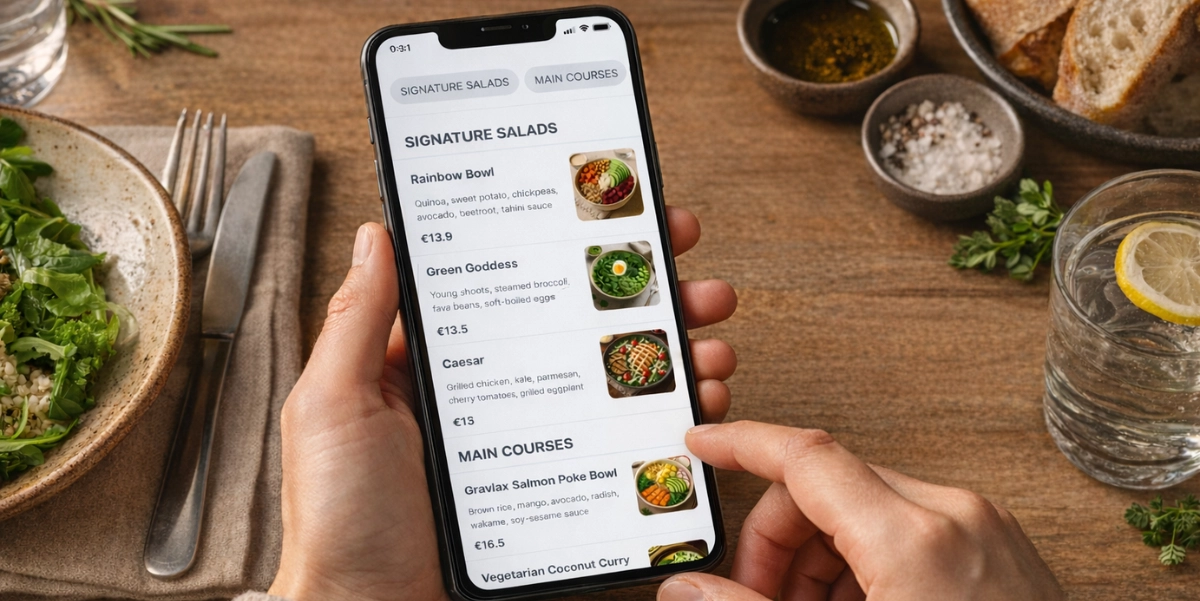
QR code menus have become a staple in modern restaurants, offering convenience and flexibility. Yet many establishments rush into implementation and fall into common QR code menu mistakes that hurt guest experience. Choosing the right digital solution from the start can make the difference between a smooth guest experience and constant frustration.
In this guide, we highlight the 5 most common QR code menu mistakes to avoid—and how to get it right from day one.
01 Picking the wrong QR menu platform
One of the biggest QR code menu mistakes is picking the wrong platform. A poor choice—missing features, bad mobile support, or hidden fees—frustrates staff and guests. Choose one that’s easy to update, works on all devices, and fits your workflow.
Pitfalls to avoid
Don’t use PDF menus. They’re easy to make, but they’re hard to read on phones. Plus, every change (new dish, price update, etc.) means redoing the whole PDF, which is slow and not practical for busy service.
Our professional advice
Choose a QR Code menu that puts the user first.
Look for:
✔ Instant updates: change your menu anytime, even during busy hours, with no hassle.
✔ Dish photos: appetising images that drive orders, without clutter or a 30-page menu.
✔ Clear descriptions: add allergens and ingredients so customers can choose with confidence.
➜ BONUS: In just 5 steps, you’ll have your QR Code menu ready to go!
02 Ignoring menu accessibility
Another common QR code menu mistake is ignoring accessibility. A menu that works for only some guests excludes the rest. Poor contrast, tiny fonts, or no screen-reader support makes it hard for elderly diners, people with visual impairments, or anyone who prefers larger text. Accessibility reflects your brand and widens your reach.
Pitfalls to avoid
Low contrast, tiny fonts, or an unresponsive menu make it hard to read on phones. Ignoring screen readers and text scaling limits who can browse. And without multilingual options, you miss international guests.
Our professional advice
Choose a menu that works on any screen—phone, tablet, or computer.
Look for:
✔ Mobile-friendly: easy to use on all phone sizes.
✔ Multilingual: translations that match your clientele, especially for international guests.
03 Poor QR code placement
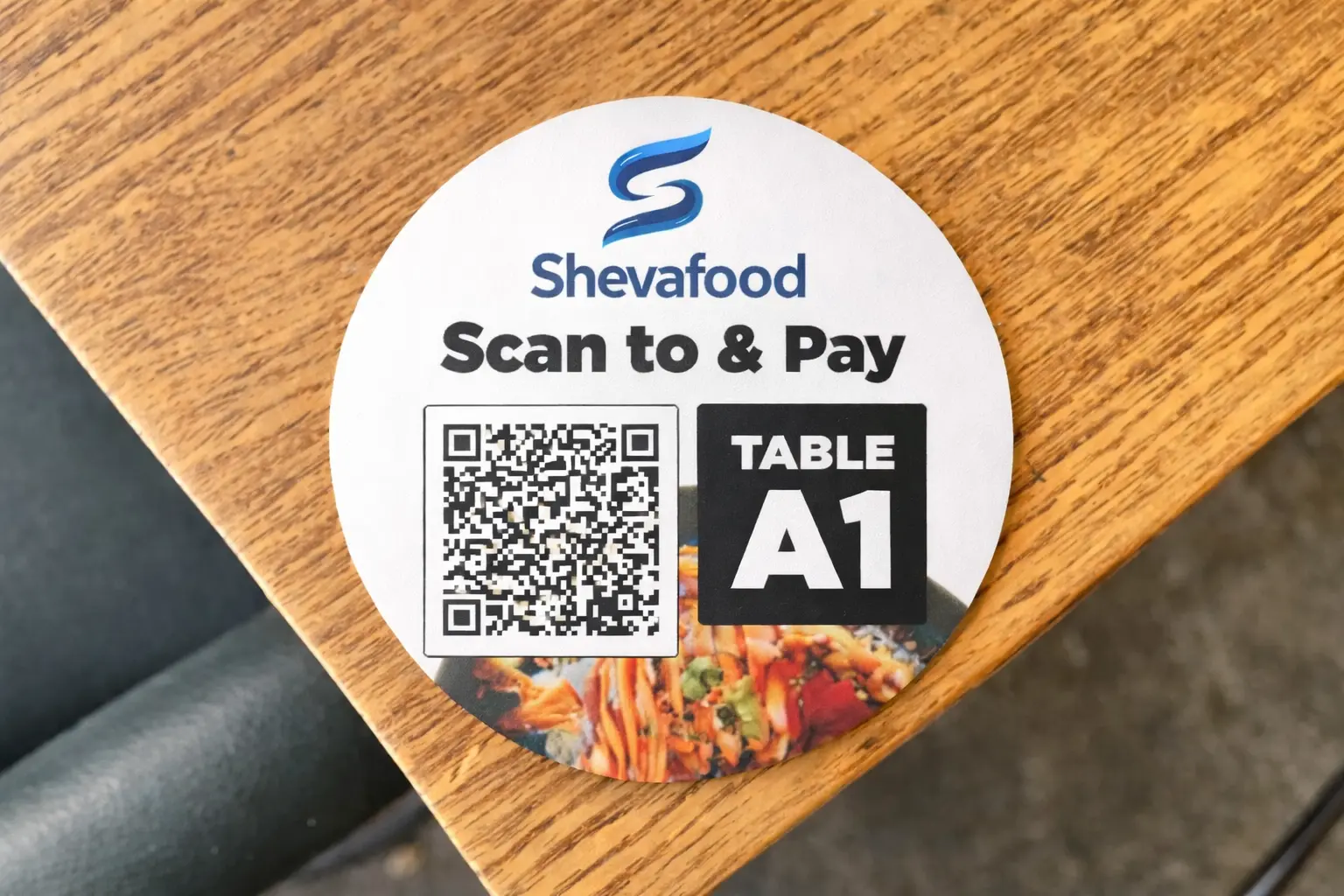
A frequent QR code menu mistake is poor placement. Placement drives usage. QR codes hidden in corners, on napkins, or in poor light get missed. Guests should scan easily, with no searching or awkwardness.
Pitfalls to avoid
Hidden or poorly placed codes get missed. Small or damaged codes are hard to scan. No instructions or fallback URL leaves guests stuck.
Our professional advice
Put QR codes where guests look: table tents, menus, or wall signage at eye level.
Look for:
✔ Visible placement: at eye level where guests naturally look when seated.
✔ Right size: large enough to scan from a distance, protected from wear.
✔ Clear instructions: add “Scan to view our menu” and a fallback URL for guests whose cameras struggle.
04 Skipping staff training
Skipping staff training is a costly QR code menu mistake. Untrained staff cannot guide guests or answer basic questions. Train them on how to manage the menu and use the software to update it whenever needed. This builds confidence and keeps service smooth.
Pitfalls to avoid
No briefing means confusion. Staff without answers look unprepared. Skipping updates when the menu or tech changes creates inconsistent service.
Our professional advice
Train your team before launch so they can guide guests confidently.
Look for:
✔ Training session: cover how to scan, what to do if the menu does not load, and how to offer alternatives (e.g. printed menu).
✔ Menu management: teach them the software to update the menu whenever they need.
✔ Ongoing support: include QR menus in onboarding for new hires and keep a quick reference sheet in the back of house.
05 Letting your menu go stale
Leaving your menu outdated is one of the worst QR code menu mistakes. Stale menus erode trust. Outdated prices, sold-out items, or old seasonal offers cause confusion and extra work for staff. Your digital menu should always reflect your current offering.
Pitfalls to avoid
Leaving prices or items unchanged for weeks or months erodes trust. Forgetting to remove sold-out or seasonal items promptly causes confusion at the table. Updating only some channels (e.g. website) while the QR menu stays outdated creates inconsistency.
Our professional advice
Set a routine for updates so your menu stays current.
Look for:
✔ Update routine: daily, weekly, or before each service.
✔ Easy editing: a platform that allows quick edits without technical knowledge.
✔ Sync everywhere: keep your QR menu, website, and printed materials aligned.
✔ Collaborator feature: look for a solution that lets you delegate menu management to team members.
➜ BONUS: Curious how Collaborator works? Read more here
Put your QR menu to work with ShevaFood
Avoid these QR code menu mistakes by choosing a solution built for restaurants. ShevaFood offers easy-to-update digital menus, visitor analytics, and multilingual support—so you can focus on service instead of technical headaches.