
Dish Photo Optimizer for Restaurants
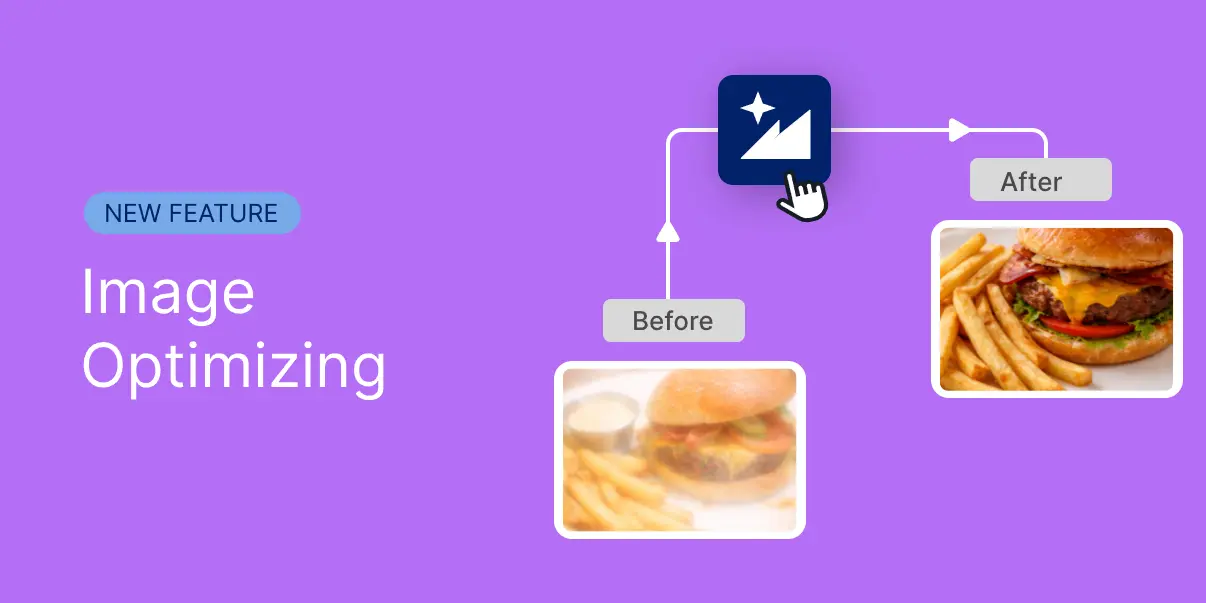
Turn Simple Dish Photos into Professional Menu Images
Great food deserves great presentation.
With ShevaFood's Dish Photo Optimizer, restaurants and cafés can transform quick smartphone photos into clean, professional-looking menu images.
The tool automatically enhances lighting, color balance, and clarity so every dish looks more appealing on your digital menu.
No editing tools. No photography skills. Just better food photos.
Try it free for 14 daysHow the Image Optimizer Works
Improving dish photos takes only a few seconds.
Capture a Dish Photo
Take a photo of your dish directly from the platform or upload an existing image.
Upload to Your Menu
Upload the picture to the related dish.
Click Optimize
ShevaFood enhances lighting, adjusts color balance, and improves clarity.
Why It Matters
Better food photos make menus easier to explore and dishes more appealing. Restaurants and cafés using strong visual presentation often see higher interest in featured dishes and improved ordering confidence from customers.
Value for Restaurants
More attractive menus
Clear images make dishes easier to recognize and choose.
Faster menu updates
Add or replace dish photos whenever your menu changes.
No editing skills required
Take the photo and let the platform improve it.
Lower photography costs
Avoid hiring photographers for every menu update.
Make Every Dish Look Better
Turn a quick dish photo into a menu-ready image.
Capture a photo, click Optimize, and ShevaFood automatically improves lighting, color, and clarity so your dishes look more appealing on your digital menu.
Available on the Pro Plan
Try it free for 14 daysNo credit card required